Call us now :07971189175
 Send Inquiry
 Send Inquiry
Systat Statistical Software
MOQ : 1 , , Piece
Systat Statistical Software Specification
- Support System
- Windows Operating System
- Interface Type
- Graphical User Interface (GUI)
- Compatible System
- Windows 7/8/10
- Security Features
- Password Protection
- Capacity (Person)
- Single User
- Usage
- Data Science, Academic Research, Industrial Statistics
- Language Support
- English
- Type
- Statistical Software
- Application
- Advanced Statistical Analysis
- Output Options
- Graphical Outputs, 3D Plots, Reports
- RAM Requirement
- Minimum 2 GB
- Version
- Systat 13.2
- License Type
- Single User License
- Hard Disk Space
- 500 MB free space required
- Documentation
- Detailed User Manual Included
- Update Policy
- Periodic Software Updates
- File Support
- Supports CSV, XLS, TXT formats
- Installation Mode
- Offline Installer
- Processor Requirement
- Intel Pentium 4 or higher
Systat Statistical Software Trade Information
- Minimum Order Quantity
- 1 , , Piece
- Supply Ability
- 10 Pieces Per Week
- Delivery Time
- 4-12 Week
Systat Statistical Software About
Systat Software is basically used for creating 2D and 3D graphics based analysis report. Offered in different versions, this program is meant for conducting statistical analysis on linear registration, non parametric and variance tests. Offered software is capable of processing data quickly whatever its size is. Its wide range of toolbars and menus can be configured as per the convenience of its user. It also enables professionals to create command files as per custom made specifications for fast and efficient creation and analysis of graphs. Easy to comprehend technique is one of its main attributes. Offered software is mainly used for evaluating information or date regarding social arena, behavioral theme and biological research works. We are an eminent supplier and trader of Systat Software.
Advanced Analytical Capabilities
Harness the power of Systat 13.2 to perform comprehensive statistical analysis with extensive support for various file formats and visualization tools. The software enables deep data exploration using advanced algorithms, making it ideal for researchers and practitioners who demand accuracy and versatility.
Intuitive and Secure Interface
Systat features a user-friendly GUI with built-in password protection, allowing users to confidently manage sensitive data. Its English language support ensures a seamless experience for users in India, maximizing productivity in academic or industrial environments.
Convenient Offline Installation
Install Systat 13.2 easily on Windows systems without the need for internet access. The offline installer, coupled with periodic software updates, ensures you can start analyzing data immediately and keep your system up-to-date for optimal performance.
FAQs of Systat Statistical Software:
Q: How do I install Systat Statistical Software on my computer?
A: Systat 13.2 offers an offline installer for Windows 7, 8, or 10. Simply follow the instructions in the detailed user manual provided with the software to complete installation without requiring an internet connection.Q: What types of data files can Systat 13.2 process for analysis?
A: The software supports CSV, XLS, and TXT file formats, allowing users to import and analyze data from various sources commonly used in data science, research, and industry.Q: When are software updates released for Systat, and how can I apply them?
A: Periodic software updates are provided by the supplier. These updates can be applied according to instructions in the user manual to ensure you benefit from the latest features and security improvements.Q: Where can I find documentation or support for using Systat 13.2?
A: A comprehensive user manual is included with Systat, detailing installation procedures, functionalities, and usage tips. Additional support is available through the distributor, service provider, or supplier in India.Q: What is the typical process for generating reports and graphical outputs in Systat?
A: After importing your data, use Systats GUI to select the desired statistical methods. The software can generate graphical outputs, 3D plots, and detailed reports, streamlining analysis for data-driven decisions.Q: How does password protection benefit users of Systat Statistical Software?
A: Password protection ensures that sensitive data and analysis projects remain secure, safeguarding confidential information whether in academic, research, or industrial settings.Q: Who can benefit from using Systat 13.2, and in which environments is it most effective?
A: Systat 13.2 is ideal for data scientists, researchers, and industrial statisticians operating within single-user Windows environments. Its advanced features cater to the needs of academic research, data analysis, and statistical modeling.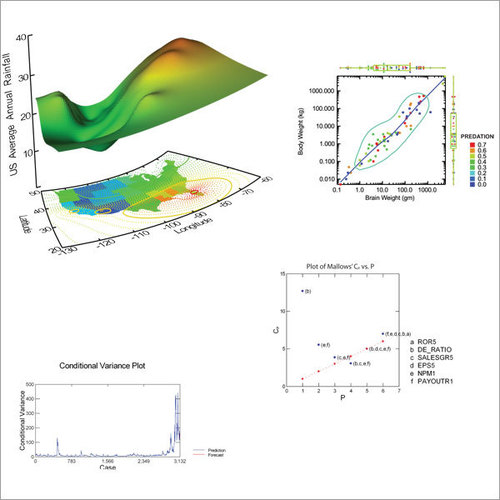
Tell us about your requirement

Price:
Quantity
Select Unit
- 50
- 100
- 200
- 250
- 500
- 1000+
Additional detail
Mobile number
Email

More Products in Systat Software Category
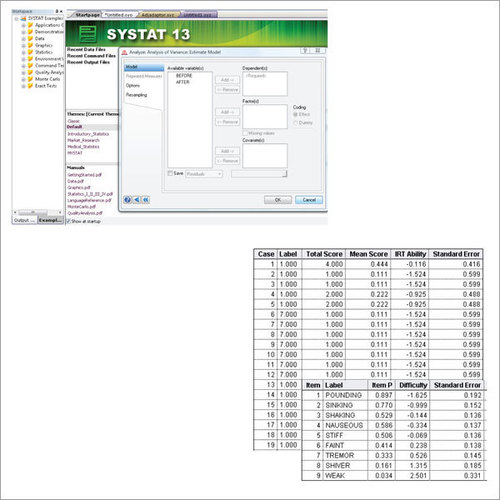
Systat 13 Software
Price Range 50000.00 - 500000.00 INR / Piece
Minimum Order Quantity : 1 Piece
Type : Other, Statistical Analysis Software
Capacity (Person) : MultiUser Capability
Usage : Professional, Academic, and Research Use
Language Support : English
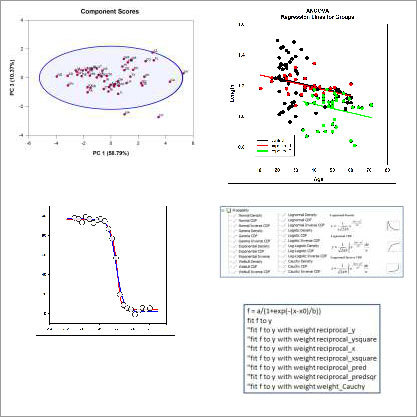
Sigmaplot Software
Price Range 50000.00 - 500000.00 INR / Piece
Minimum Order Quantity : 1 Piece
Type : Other, Data Analysis Software
Capacity (Person) : Single User License
Usage : Statistical Analysis, Data Visualization, Data Modeling
Language Support : English

We are providing our products across India.
 Send Inquiry

Our Products

B-302, Taj Enclave, Geeta Colony,Delhi - 110031, India

 Send Inquiry
 Send SMS
Developed and Managed by Infocom Network Private Limited.
