Call us now :07971189175
 Send Inquiry
 Send Inquiry
Systat 13 Software
MOQ : 1 Piece
Systat 13 Software Specification
- Compatible System
- Windows XP/Vista/7/8/10
- Usage
- Professional, Academic, and Research Use
- Language Support
- English
- Support System
- Windows Support Provided
- Security Features
- License Protection, User Authentication
- Capacity (Person)
- Multi-User Capability
- Interface Type
- Graphical User Interface (GUI)
- Type
- Statistical Analysis Software
- Application
- Advanced Statistical Analysis and Data Visualization
- Minimum Disk Space Required
- 250 MB free disk space
- Installation Type
- CD/DVD and Digital Download
- Software Version
- Systat 13
- Processor Required
- Pentium IV or higher
- Update Options
- Automated Online Updates Available
- Export Options
- PDF, JPEG, PNG, RTF, HTML, Excel
- Technical Support
- Online, Email, Phone Support
- Minimum RAM Requirement
- 1 GB or higher
- Graph Types Supported
- 2D, 3D Graphs, Histograms, Boxplots, Scatterplots
- Documentation
- User Manual, Online Help, Tutorials
- License Type
- Perpetual and Annual/Subscripton Licenses Available
- Backup Support
- Yes
- Statistical Methods
- Regression, ANOVA, Multivariate Analysis, Non-parametrics, Time Series, Survival Analysis
- Data Import/Export Formats
- Excel, TXT, CSV, SPSS, SAS, and more
Systat 13 Software Trade Information
- Minimum Order Quantity
- 1 Piece
- Supply Ability
- 10 Pieces Per Week
- Delivery Time
- 4-12 Week
Systat 13 Software About
Systat Software gives support to all types of scientific as well as technical research applications. It helps to carry out a comprehensive regression analysis on the data set selected by the user. It ensures free upgrades and updates, priority technical support and effective maintenance and management of a large group of users. Systat Software is a statistics as well as statistical graphics software package. It can forecast the error alterations making use of the parameter estimates. Capable to display the data, graph, output and command files suitably, it views value labels as well as data values in the data editor.Flexible Licensing for Diverse Needs
Systat 13 accommodates both perpetual and subscription licensing models, giving users the flexibility to choose an option that aligns with project duration and budget. Whether for long-term usage or short-term research, Systats licensing adapts to professional, academic, and research environments, ensuring compliance and ease of access for users in India.
Comprehensive Data Import/Export Options
Easily integrate Systat 13 into existing workflows with support for multiple data formats including Excel, TXT, CSV, SPSS, SAS, and more. Export results in formats like PDF, JPEG, PNG, RTF, HTML, and Excel for seamless sharing and presentation. These options facilitate efficient collaboration and reporting across multidisciplinary teams.
Advanced Statistical and Visualization Tools
Empowering users with an extensive range of statistical analyses from regression, ANOVA, and multivariate analysis to time series and survival analysis Systat 13 also generates 2D/3D graphs, histograms, boxplots, and scatterplots. The softwares graphical interface simplifies complex procedures, making it accessible for both seasoned statisticians and students.
Easy Installation & Reliable Support System
Installation is straightforward via CD/DVD or digital download and requires minimal system resources: only 1 GB RAM, 250 MB disk space, and a Pentium IV or higher processor. Users benefit from multi-channel technical support (online, email, phone) and comprehensive documentation such as user manuals, online help, and tutorials. Automated updates and backup support keep your software secure and current.
FAQs of Systat 13 Software:
Q: How do I install Systat 13 software on my Windows system?
A: Systat 13 can be installed via CD/DVD or digital download. Ensure your system runs Windows XP, Vista, 7, 8, or 10 and meets the minimum requirements: Pentium IV processor or higher, 1 GB RAM, and 250 MB of free disk space. Follow the installation prompts provided with your chosen distribution method.Q: What data import and export formats are supported by Systat 13?
A: You can import and export data in multiple formats such as Excel, TXT, CSV, SPSS, SAS, and more. The software also allows exporting graphs and results in PDF, JPEG, PNG, RTF, HTML, and Excel, simplifying data exchange and enhancing compatibility with other platforms.Q: When should I choose a perpetual license versus an annual subscription for Systat 13?
A: Opt for a perpetual license if you require long-term or indefinite use without recurring payments. An annual or subscription license is ideal for short-term projects, budget limitations, or when flexibility in licensing terms is beneficial. Both licensing options provide full feature access and technical support.Q: Where can I get technical support and documentation for Systat 13?
A: Technical support is available through online channels, email, and phone. Comprehensive user manuals, online help, and tutorials are provided to guide installation, usage, and troubleshooting. Support services are accessible for all licensed users in India.Q: What statistical methods and graph types does Systat 13 support?
A: Systat 13 offers a variety of statistical techniques including regression, ANOVA, multivariate analysis, non-parametric tests, time series analysis, and survival analysis. The software supports 2D and 3D graphs, histograms, boxplots, and scatterplots for effective data visualization.Q: How does Systat 13 ensure the security of my data and user access?
A: Security features include license protection and user authentication, ensuring only authorized users can access the software and its data. Automated online updates and backup support help maintain a secure and reliable working environment.Q: What are the benefits of using Systat 13 for advanced statistical analysis?
A: Systat 13 streamlines complex analyses with its robust statistical tools, multi-format data handling, and professional visualization capabilities. Its intuitive GUI, multi-user support, and accessible technical resources help maximize productivity across research, academic, and professional settings.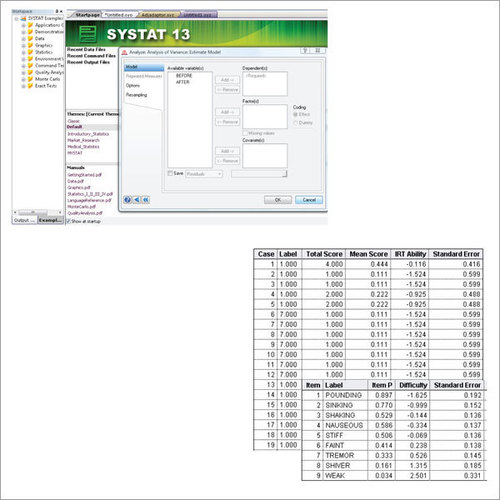
Tell us about your requirement

Price:
Quantity
Select Unit
- 50
- 100
- 200
- 250
- 500
- 1000+
Additional detail
Mobile number
Email

More Products in Systat Software Category
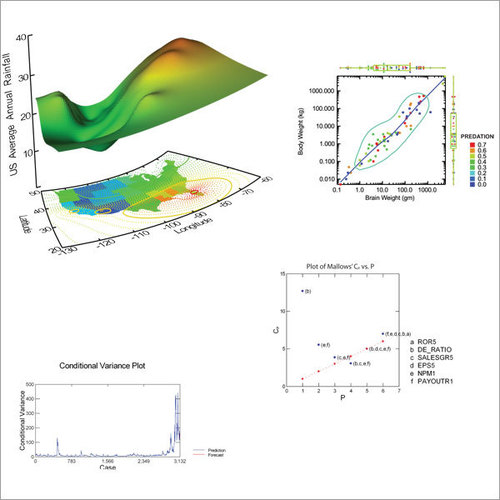
Systat Statistical Software
Price Range 50000.00 - 500000.00 INR / Piece
Minimum Order Quantity : 1 , , Piece
Compatible System : Windows 7/8/10
Application : Advanced Statistical Analysis
Usage : Data Science, Academic Research, Industrial Statistics
Language Support : English
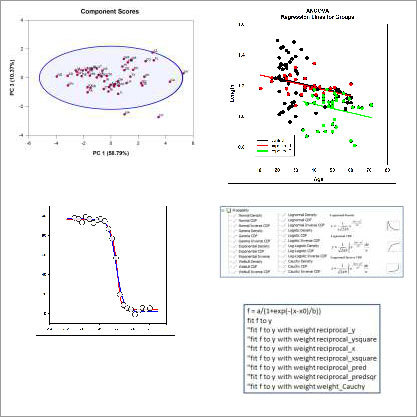
Sigmaplot Software
Price Range 50000.00 - 500000.00 INR / Piece
Minimum Order Quantity : 1 Piece
Compatible System : Windows 7, 8, 10, 11
Application : Scientific Data Analysis and Graphing
Usage : Statistical Analysis, Data Visualization, Data Modeling
Language Support : English

We are providing our products across India.
 Send Inquiry

Our Products

B-302, Taj Enclave, Geeta Colony,Delhi - 110031, India

 Send Inquiry
 Send SMS
Developed and Managed by Infocom Network Private Limited.
