Call us now :07971189175
 Send Inquiry
 Send Inquiry
ReSlope Software
MOQ : 1 Piece
ReSlope Software Specification
- Usage
- Slope Stability Calculation, Analysis, and Reporting
- Interface Type
- User-friendly Graphical Interface
- Security Features
- Licensed Multi-user Access
- Capacity (Person)
- Multi-user
- Support System
- Online and Offline
- Compatible System
- Windows XP/Vista/7/8/10
- Language Support
- English
- Type
- Geotechnical Engineering Software
- Application
- Soil Slope Stability Analysis
- Analysis Methods
- Bishop, Fellenius, Spencer, Janbu, Morgenstern-Price
- Technical Support
- Email, Telephone, Remote Assistance
- License Duration
- Perpetual and Annual Options
- Processor Requirement
- Pentium 4 or Higher
- Report Output
- Customizable PDF and Excel Reports
- Installation Type
- Standalone and Network License
- Data Import/Export
- Supports DXF, CSV
- Minimum RAM
- 2 GB Recommended
- Disk Space Required
- 500 MB
- Document Templates
- Included for Standard Slope Types
- Update Frequency
- Regular Annual Updates
- Graphical Tools
- Drawing, Editing, and Visualization Tools
ReSlope Software Trade Information
- Minimum Order Quantity
- 1 Piece
- Supply Ability
- 10 Pieces Per Week
- Delivery Time
- 4-12 Week
ReSlope Software About
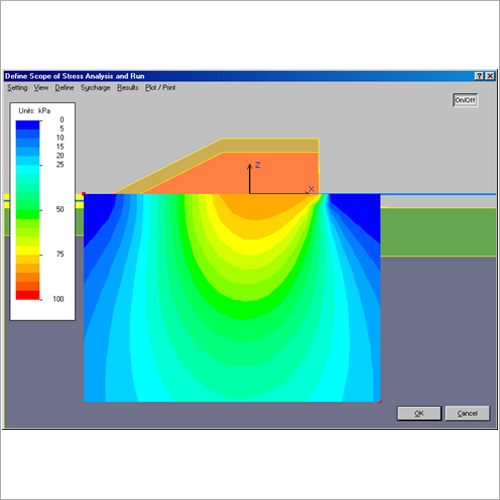
ReSlope is an interactive, design-oriented, program for geosynthetic-reinforced slopes.
Here are the features of ReSlope:
- Printout: The user can print a built-in report in one of the following languages: English, Dutch, Finnish, French, German, Italian, Polish, Portuguese, Russian, Spanish, or Swedish.
- Slope geometry is limited to simple shape; backslope can be specified; three different uniform surcharges over the crest can be input. Slope height is limited to 30 m. Taller slopes can be analyzed using a similitude approach.
- Sloping toe can be specified. Its effects are realized in deepseated stability analysis using Bishops; however, ReSlope does not consider the foundation effects on internal stability.
- An approximated methodology for reinforced tiered slopes is presented. However, this option is not automatic or straightforward; it requires a considerable judgment by the user.
- Input data includes three types of soils: reinforced soil, retained soil and foundation soil. Cohesion strength component can be specified for each soil, however, for design it is highly recommended to use zero cohesion, especially for the reinforced and retained soils.
- Porewater pressure can be approximated either through a simple phreatic surface or by the porewater coefficient ru.
- Pseudostatic seismicity is considered using horizontal and vertical coefficients.
- Soil-geosynthetic interaction is considered through the input of the Interaction Coefficient (Ci) and the Direct Sliding Coefficient (Cds).
- Geosynthetic lengths can be generated as uniform, linearly varying with height, or minimum required values at each elevation. Although the minimum required length option is not practical for construction, it is valuable for the designer in assessing the extent of conservatism associated with the actual specified layout.
- The user specifies reduction factors for creep, degradation, and installation damage.
- The user specifies different overall factors of safety for the geosynthetic strength, for the shear strength of soils, for pullout resistance and for direct sliding resistance. Each target factor of safety is input individually (i.e., not necessarily the same Fs for soil and geosynthetics), thus making ReSlope compatible with design philosophies of MSE walls.
- Coverage Ratio, Rc, can be input (allowable values between 0.05 and 1.0; recommended value for design is 1.0).
- The user can specify the inclination of reinforcement force at the slip surface, inputting any value between horizontal and tangential (horizontal is recommended for geosynthetics).
- The user can specify fixed angle of reinforcement force inclination. Values can be between -15 and +15 degrees. Such a feature, combined with small value of Rc, can be used for preliminary assessment of reinforcement such as soil nails.
- All graphical results can be captured as bitmap files. Most graphic programs and word-processors can retrieve these bitmap files.
- Graphical results can be saved as a DXF (Drawing Exchange Format) file. Such files can be read by AutoCAD for further processing and implementation in construction drawings.
- Results can be exported to ReSSA for more comprehensive stability analysis possibly dealing with more complicated geometry than ReSlope can consider. That is, the layout produced quickly by ReSlope can serve as the initial layout for more complex problems analyzed using ReSSA.
- Tabulated results in ReSlope can be exported to Excel or printed by a click of a button.
Advanced Slope Stability Methods
ReSlope Software supports a wide range of analysis methods, including Bishop, Fellenius, Spencer, Janbu, and Morgenstern-Price. These proven techniques enable users to perform thorough soil slope stability evaluations, suited for diverse geotechnical scenarios, ensuring dependable results for both routine and complex engineering projects.
Customizable Reporting and Visualization
With options for exporting analysis results as PDF or Excel reports, users can tailor documentation to project requirements. Built-in drawing and editing tools, alongside comprehensive visualization features, enhance clarity in data presentation and enable effective communication of findings to stakeholders.
Flexible Installation and Licensing
The software offers both standalone and network license types, suitable for individual use or multi-user environments. Available as perpetual and annual license options, organizations can select plans based on operational needs, while secure multi-user access ensures both productivity and data protection.
Seamless Technical Support and Updates
ReSlope provides dependable technical support through email, telephone, and remote assistance, complemented by regular annual software updates. Both online and offline support systems cater to user queries and help maintain smooth operations and up-to-date analyses in geotechnical workflows.
FAQ's of ReSlope Software:
Q: How does ReSlope Software support various slope stability analysis methods?
A: ReSlope Software incorporates multiple analysis methods, such as Bishop, Fellenius, Spencer, Janbu, and Morgenstern-Price. These options allow users to select the most suitable algorithm for their geotechnical projects, ensuring accurate and reliable slope stability calculations.Q: What are the system requirements to install and run ReSlope Software?
A: Minimum requirements include a Pentium 4 or higher processor, at least 2 GB RAM, and 500 MB of disk space. The software runs on Windows operating systems, including XP, Vista, 7, 8, and 10, making it compatible with most professional computing environments.Q: Where can I access technical support for ReSlope Software in India?
A: Technical support for ReSlope is available via email, telephone, and remote assistance. Both online and offline support channels are provided, ensuring prompt help with installation, updates, and troubleshooting throughout India.Q: What data import and export formats are supported by ReSlope Software?
A: Users can import and export data using DXF and CSV formats. This flexibility allows seamless integration with other engineering software and simplifies data sharing across different platforms and project teams.Q: How can users benefit from customizable reports in ReSlope Software?
A: Customizable PDF and Excel report outputs enable users to tailor documentation for specific project requirements. This enhances reporting efficiency, facilitates quality assurance, and aids communication with clients and team members.Q: What types of licenses are available for ReSlope Software usage?
A: ReSlope offers both perpetual and annual licensing options, as well as standalone and network licenses. Organizations can choose based on their usage requirements and budget, with secure multi-user access supported for collaborative environments.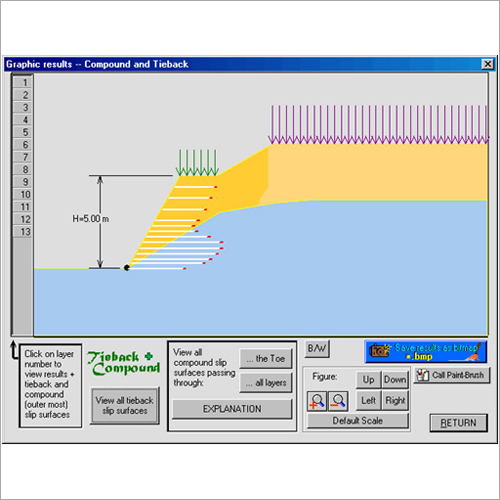
Tell us about your requirement

Price:
Quantity
Select Unit
- 50
- 100
- 200
- 250
- 500
- 1000+
Additional detail
Mobile number
Email

More Products in Geotech Programs Category
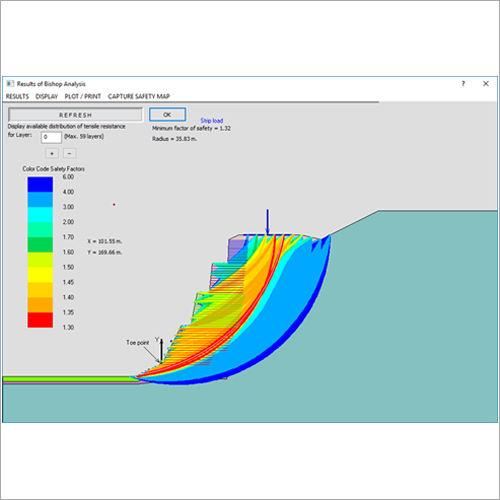
ReSSA Software
Price Range 50000.00 - 500000.00 INR / Piece
Minimum Order Quantity : 1 Piece
Application : Assessment Tool Software
Type : Other, Software
Interface Type : User Friendly
Usage : For Research and Analysis Purpose
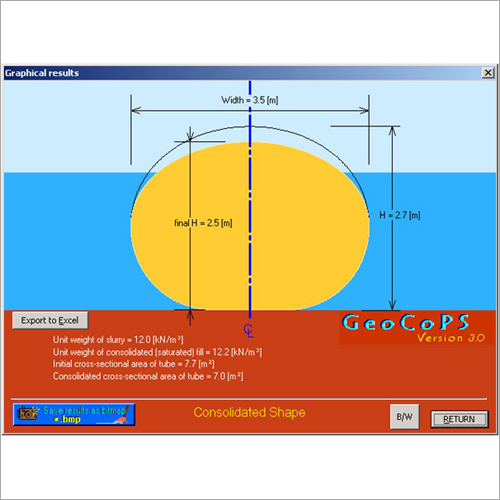
GeoCoPS Software
Price Range 50000.00 - 500000.00 INR / Piece
Minimum Order Quantity : 1 Piece
Application : Geographical Coordinate Processing
Type : Other, Geospatial Software
Interface Type : Graphical User Interface (GUI)
Usage : Precision Survey Calculations, Mapping, Geodata Management
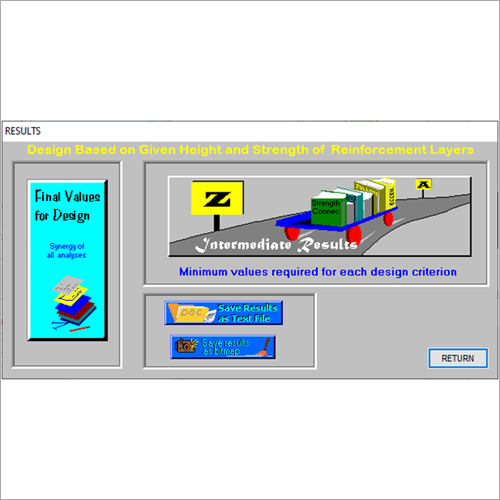
MSEW Software
Price Range 50000.00 - 500000.00 INR / Piece
Minimum Order Quantity : 1 Piece
Application : Civil Engineering, Construction Projects
Type : Other, Design and Analysis Software
Interface Type : Graphical User Interface (GUI)
Usage : Geotechnical and Structural Design of Reinforced Soil Structures
FoSSA Software
Price Range 50000.00 - 500000.00 INR / Piece
Minimum Order Quantity : 1 Piece
Application : Open Source Software Security Management
Type : Other, Security Software
Interface Type : Webbased GUI
Usage : Automated Identification of Vulnerabilities in Open Source Components

We are providing our products across India.
 Send Inquiry

Our Products

B-302, Taj Enclave, Geeta Colony,Delhi - 110031, India

 Send Inquiry
 Send SMS
Developed and Managed by Infocom Network Private Limited.
